› Forums › Classic DFFS › Cannot delete attachment
- This topic has 5 replies, 3 voices, and was last updated 5 years, 3 months ago by
Alexander Bautz.
-
AuthorPosts
-
-
December 16, 2016 at 21:50 #14572
David M
ParticipantHello,
I’m using DFFS 3.352
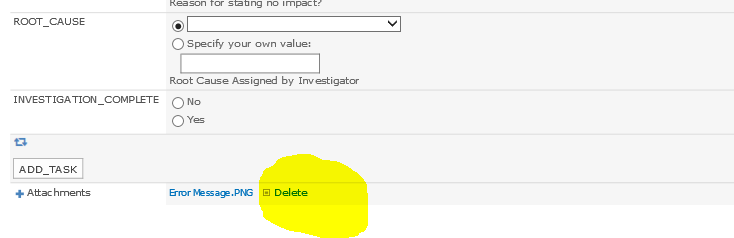
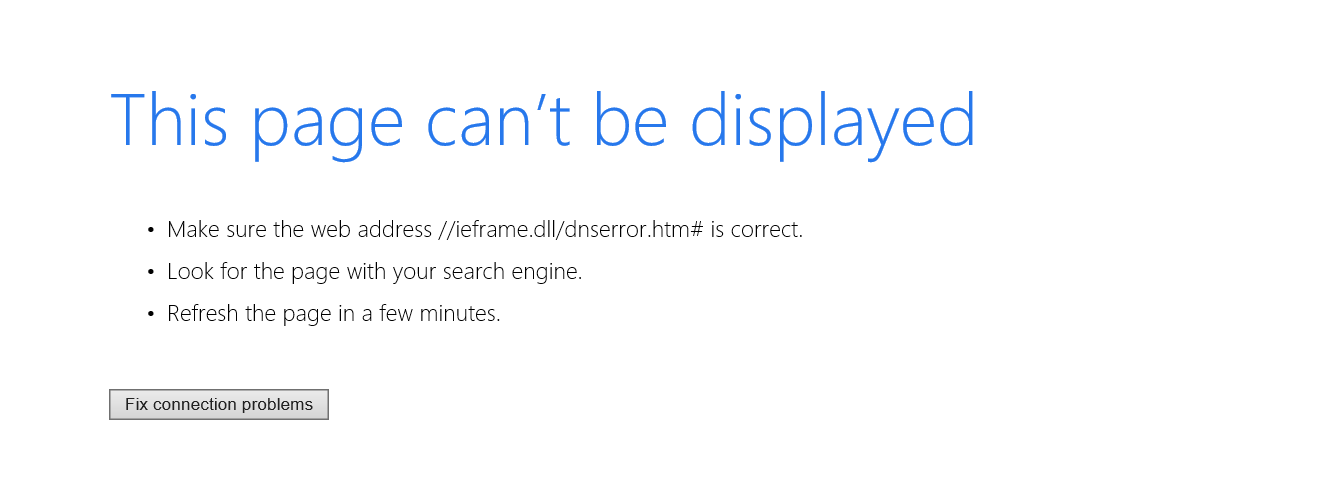
when i try and delete an attachment, a browser window opens with:
javascript:void(0)
This page cant be displayed
Make sure the web address //ieframe.dll/dnserror.htm# is correctI’m using DFFS on a peer site and i can delete attachments on that site. Both sites point via the CEWP to the same DFFS folder.
other backgorund, on the site that i cant delete the attachment was recently upgraded to SP 2013.
any ideas?
thank you,
Dave -
December 28, 2016 at 19:39 #14677
Alexander Bautz
KeymasterHi,
Sorry for the late reply. I cannot recall to have had this issue reported before. This version of DFFS is a bit dated (2014) so I would recommend that you update and check if the problems still exist.If you have an existing licenses you are able to upgrade it (depending on the type) to a v4 license.
Alexander
-
January 15, 2019 at 14:02 #23522
Gulbinder Sandhu
ParticipantWe are having this same issue with a later version of code. v4.37
Any ideas on how to resolve?
No difference if you try in Firefox or IE.
-
January 15, 2019 at 21:52 #23535Keymaster
Hi,
Can you add a few screenshots so I can see exactly what you are trying to do?Alexander
-
January 16, 2019 at 11:12 #23542Participant
attachments added
Attachments:
-
January 16, 2019 at 17:35 #23548Keymaster
Hi,
Unfortunately I don’t know what could cause this issue. Are there any custom code used to override the built in SharePoint delete functions? Are you able to delete if you disable DFFS? (uninstall DFFS and test – the config is not removed and will pop back in when reinstalling DFFS).Alexander
-
-
AuthorPosts
- You must be logged in to reply to this topic.